
A successful website redesign SEO process keeps the rankings you have earned because it treats Google as one more visitor: every useful old address leads to its new page, nothing that mattered disappears, and the launch is closely monitored. The method has four stages: page inventory, redirect plan, testing before the switch, and monitoring in Search Console.
When a redesigned site loses its visits, the cause is almost always simple: a forgotten address, a protection left in place or content deleted without a second thought. Here is the checklist to follow, in order.
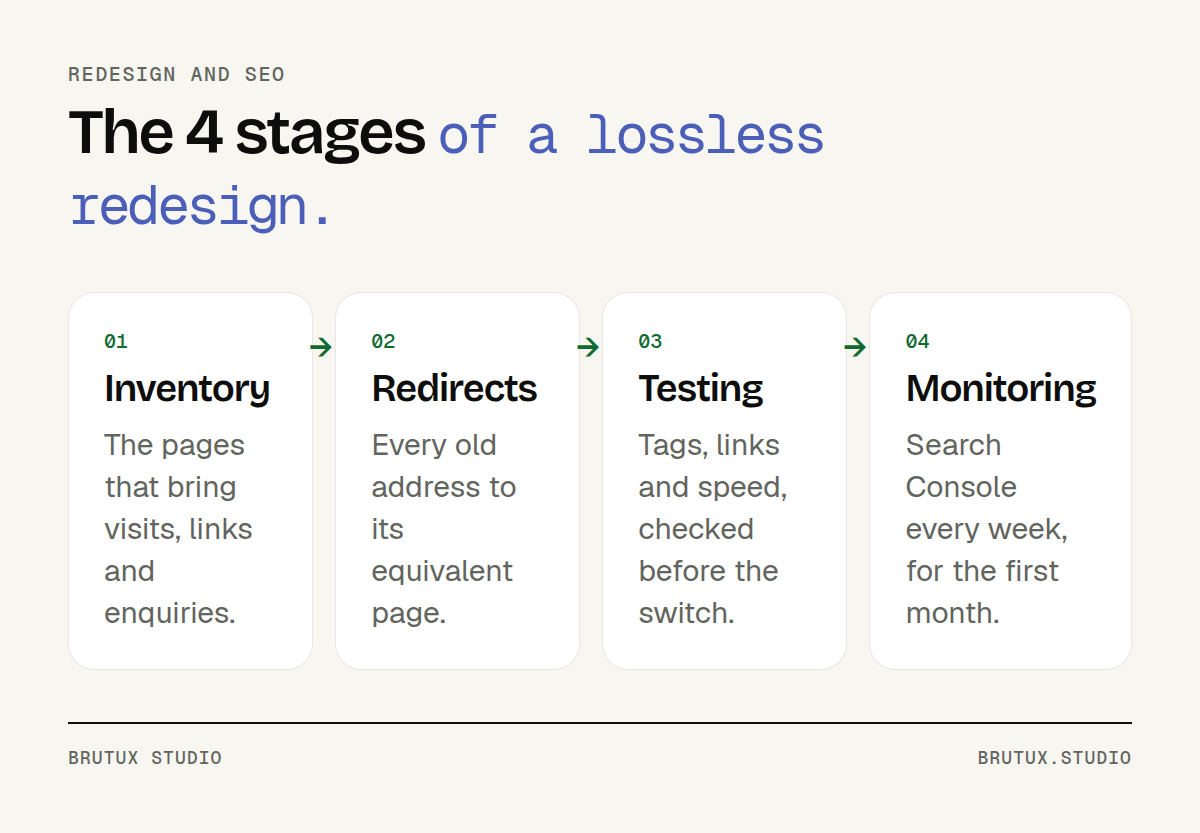 The four stages of a redesign that keeps its rankings.
Why does a poorly prepared website redesign SEO project lose traffic?
Google does not rank a website, it ranks pages, each known under a precise address. It has learnt what they contain and which sites cite them.
A redesign that changes those addresses, that content or that structure touches this capital directly.
The good news is that Google documents the process precisely. Its guide to site moves sets out the steps: prepare the new site, map old addresses to new ones, set up the redirects, submit the new sitemap, then monitor traffic (Google Search Central).
What Google loses when an address changes
A page that changes address without a redirect becomes, for Google, a new page. The old one returns an error, and the new one has to be discovered and assessed all over again.
Links that other sites made to the old address no longer lead anywhere.
Even when done well, a move takes time to settle. Google says a medium-sized site should expect a few weeks or more before the new addresses gradually appear, and that rankings settle down over time (Google Search Central). A short dip is therefore not necessarily a failure; a dip that lasts is.
The three most common causes of a drop
In redesigns that go wrong, the same mistakes come up almost every time. None is technical in the difficult sense of the word: they are lapses of method.
- Addresses changed without a redirect, or all redirected to the home page.
- Content deleted because it looked dated, when it was still attracting visits.
- A forgotten staging protection at launch, telling Google not to index anything.
A fourth cause is more insidious: a new design loaded with images and animations that slows the site down on mobile.
What should you do before touching the design?
A redesign starts with an inventory, not a mock-up. Until you know which pages bring visits, links and enquiries, you cannot decide what to keep.
It is the first step we take in any website redesign: auditing the existing site tells you what works, and therefore what you must not break.
List the pages that really matter
Three sources are enough for most SME websites. Search Console shows the pages that receive clicks from Google, with the related queries. Your analytics tool shows the entry pages and the ones that lead to an enquiry.
Finally, Search Console also lists the pages that receive links from other sites.
Google recommends starting from your sitemaps and Search Console to find the important addresses (Google Search Central). Add a full crawl of the site with a crawling tool, to find the pages that no menu links to any more.
The result fits in a spreadsheet: one row per address, with its clicks, visits, inbound links and enquiries. This document will guide every decision that follows.
Decide page by page: keep, merge, remove
Each row of the inventory gets a decision. A useful, visited page is kept, rewritten if needed.
Two pages competing for the same question are merged into one, more complete page. A page with no visits, no links and no use is removed.
| Page situation | Decision | What the old address gets |
|---|---|---|
| Visited, useful, still accurate | Keep and improve | Permanent redirect to the new page |
| Two pages on the same topic | Merge | Both redirected to the merged page |
| No visits, no links, no use | Remove | 404 or 410 error |
Be careful with "dated" content that still performs. An old article, an FAQ page or a page about a neighbouring town can attract regular visits. Removing them closes an entry door.
The site structure deserves the same care. A well-ranked page that moves one level down in the structure, or loses the internal links that featured it, can lose some of its visibility even without changing address.
Set a baseline
Before the switch, record your starting figures: clicks and impressions in Search Console, visits and enquiries over the last three months. Without this baseline, nobody will be able to tell whether the redesign did better or worse.
This is the approach Victor Michel, the studio's founder, applied when redesigning the e-commerce site of Sowee, EDF's connected-home brand: data analysis, user testing and A/B testing, to judge a page by what it produces rather than by the opinion of the most persuasive person in the room.
A redesign is not only about keeping rankings, it should also turn more visits into enquiries.
How do you build the redirect plan?
The redirect plan is the most important document in a redesign. It maps each old address to the new page that answers the same question. It is prepared while the new site is being designed, not the day before launch.
For a simple domain change that keeps every address, a general rule may be enough. As soon as the structure changes, you need an address-by-address mapping (Google Search Central).
One old address, one equivalent new page
The rule is simple: each important old page redirects to the page that genuinely replaces it. A "Kitchen renovation" page leads to the new kitchen page, not to the general services page.
Google explicitly advises against redirecting many old addresses to a single irrelevant page, such as the new site's home page (Google Search Central). For the visitor, it is a dead end: they were looking for a precise answer and land on a generic home page.
Avoid chains too: an address already redirected in a previous redesign should point directly to the final new page.
Finally, update every internal link on the site so that it leads to the new addresses without going through a redirect.
Choose the right redirect
A permanent redirect (code 301 or 308) tells Google that the new address should replace the old one in its results. A temporary redirect (302, 303 or 307) does not carry that signal: the old address may stay in the results (Google Search Central). For a redesign, you therefore use permanent redirects.
Google recommends setting them up server-side whenever possible, as this is the form it understands best. A JavaScript redirect is only a last resort: if the page fails to render, Google may never see it (Google Search Central).
How long should you keep them? Google generally advises at least one year, and keeping them indefinitely remains a good option for visitors arriving through old links (Google Search Central).
What should not be redirected
A removed page with no equivalent does not need a redirect. Google recommends that it returns a 404 or 410 error (Google Search Central). A well-designed error page, with an internal search and links to the main sections, then helps the visitor find their way.
A domain change is a special case. The Search Console Change of Address tool is only for moving from one domain or subdomain to another; it is not for moving from HTTP to HTTPS, moving pages within the same site, or switching between "www" and non-"www" addresses (Search Console Help). In those cases, redirects are enough.
What should you check on staging before launch?
The new site is built on a test address, the staging site. This is where you check everything that affects search, while a mistake still costs nothing. Thorough testing saves weeks of catching up.
Protect staging without trapping production
The staging site must not appear in Google, or it will compete with the live site. Beware of the robots.txt reflex: Google points out that it is not a way to keep a page out of its results, and that you need a noindex directive or password protection for that (Google Search Central).
We prefer password protection, because it disappears by itself when you publish on the real domain. A noindex directive, on the other hand, travels with the code.
That is the classic launch-day mistake: the new site goes live while asking Google not to index it.
Google also asks you to remove, at the time of the switch, any noindex or robots.txt block that was only needed during the migration (Google Search Central). Put this point at the top of the launch checklist.
Tags, canonicals, sitemap and internal links
Each page of the new site needs a unique title and description, written for its main query. Compare them with those of the pages that ranked well: if the old title worked, there is no reason to throw it away.
Check the canonical tag too. Google asks that each new address carries a canonical tag pointing to itself (Google Search Central). A tag left on the staging address is enough to sow doubt.
- XML sitemap: it lists the new addresses, and only those that should be indexed.
- Internal links: none points to an old address or to the staging site.
- Structured data: contact details, services and FAQs, carried over from the current site if they existed.
- Language versions: on a site in French and English, each page signals its translation.
The safest option is to make these settings hard to break. On Stellia, the business website product designed by Brutux Studio, the technical layer (structured data, canonical tags, sitemap, redirects) stays out of reach of the editor the client uses every day, and a page title cannot be left empty.
Speed and comfort on mobile
A redesign is a chance to make the site faster, and a risk of making it slower. Core Web Vitals give three benchmarks: main content displayed within 2.5 seconds, a response to interactions within 200 milliseconds, and layout stability of 0.1 or less, measured at the 75th percentile of visits (web.dev).
Test the key pages on an ordinary phone, not only on the office screen. Oversized images, background videos and piled-up plugins are the most common causes of slowness.
What should you monitor on launch day and in the following weeks?
Launch is not the end of the project, it is the start of its most closely watched phase. The first weeks tell you whether the redirects hold, whether Google is discovering the new pages and whether visitors find what they are looking for.
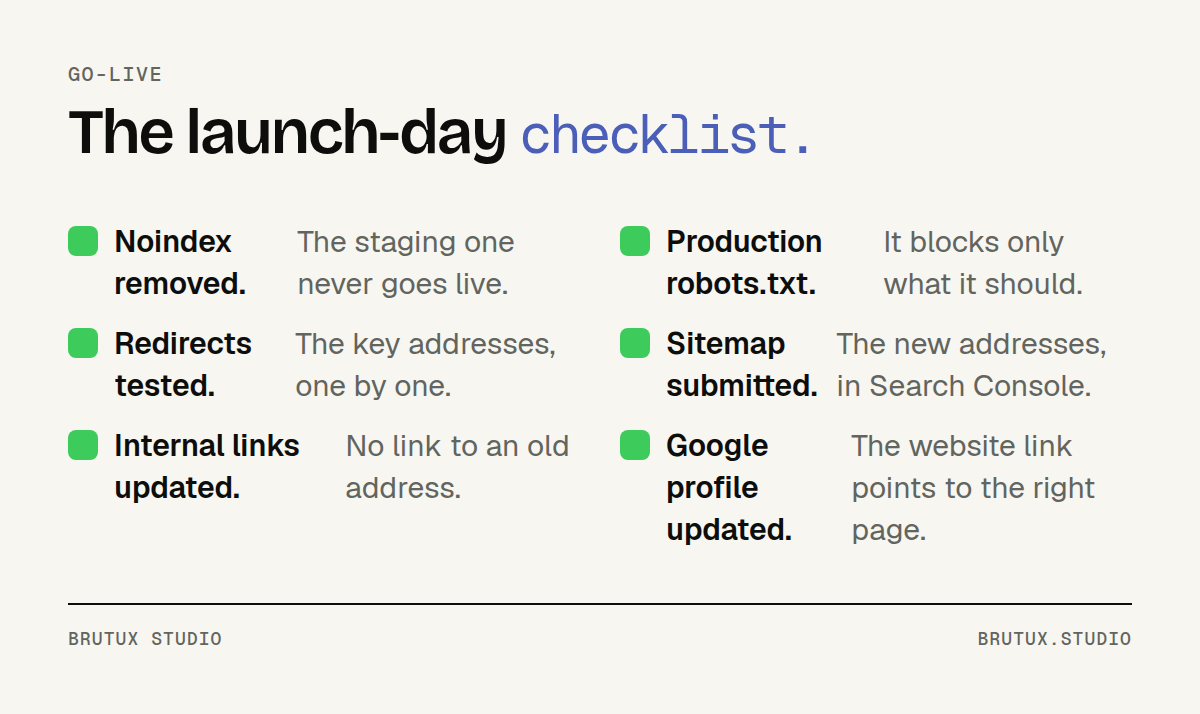 Six checks to make on launch day.
On the day of the switch
Test the most important addresses from the inventory by hand: each should redirect in a single step to the right page. Submit the new sitemap in Search Console, as Google recommends (Google Search Central).
Think about everything that points to your site from outside too. Google advises updating the links in your profiles and campaigns, and asking the sites that link to you to update their links (Google Search Central).
For a local business, the Google Business Profile comes first: the link to the website and to the booking page must lead to the new addresses.
Directories and town pages matter too. For a business in Thonon or the Chablais, they often bring the local visits, as we explained in our article on local SEO in the Chablais. A redesign must not break what makes you visible close to home.
The first four weeks in Search Console
The page indexing report becomes your dashboard. It shows addresses marked "Not found (404)", "Page with redirect", pages excluded by a noindex tag and those blocked by robots.txt (Search Console Help). Each unexpected status points to a precise fix.
A simple rhythm works well: a daily check in the first week, then weekly until the end of the first month. Each time, compare the clicks on key pages with the baseline recorded before the redesign.
If you have also changed hosting provider, do not worry about slower crawling at first. Google says the crawl rate may drop temporarily right after the switch, then rise gradually (Google Search Central).
Mistakes to avoid
Lasting drops also come from hasty reactions. A few rules keep you from making things worse while the site settles.
- Do not move everything again at the first sign of a dip: a new round of address changes restarts the wait.
- Do not remove the redirects to "clean up" the server a few months later.
- Do not leave a 404 on a page that had links: a redirect to the right page recovers it.
- Do not judge the redesign on three days: compare whole weeks, in the same season.
Victor Michel led the redesign of Bouygues Telecom's mobile customer app, rolled out gradually and without any interruption of service. The principle holds for an SME website: users, and Google, should never lose their bearings.
To go further on search after the redesign, our page on SEO and local search describes the monitoring we put in place, from Thonon to Geneva, and our web agency in Thonon-les-Bains supports Chablais businesses on site. A well-prepared redesign aims for a site that is faster, clearer and at least as visible as before.
Sources
- Google Search Central, Site moves with URL changes
- Google Search Central, Redirects and Google Search
- Google Search Central, Introduction to robots.txt
- Google Search Central, Site moves without URL changes
- Search Console Help, Change of Address tool
- Search Console Help, Page indexing report
- web.dev, Web Vitals